Latest News
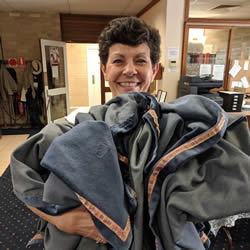
With a major interclub teams event, the 2018 Margaret Smales Sydney North Interclub Teams Challenge, coming up on the second week of March it is time to wash the tablecloths.
Volunteers were sought and many members answered. It is a notable strength of our club that all members who are able contribute to the workings of the club - helping us to have table fees well below other comparable clubs.
We and the interclub event will all benefit from the clean tablecloths.

Many of our volunteers need a way of transferring files to the club's computers for printing or storage at the club. Here are the easiest ways to do this:
- Use a USB Flash Drive - Do a virus scan, copy the files to the USB flash drive, take it to the club, insert it in a computer there, and copy or print the file from the USB flash drive.
- Email the file to yourself - Then when you go to the club, access your own email via a browser on a club computer and copy or print the file. You will need your email address and password to access your email at the club computer and check that you are NOT storing your password on that computer.
- Use a shared Peninsula Bridge Club Google Drive folder - If you also want to store files for use by others, then this is probably a good long term approach. It will allow you to permanently store the relevant files in a folder that others, and you from a club computer, can access. Contact David Farmer for instructions and the login details.
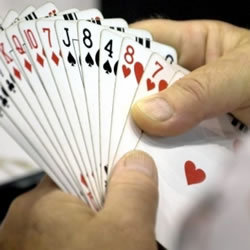
"Bridge enjoys immense popularity partly because of the high standards of ethics and etiquette which are observed by the players who are expected to conduct themselves in a highly civilised manner.
Violations of proper etiquette are quite common from inexperienced players, either through ignorance or inadvertence. A well-mannered opponent who is the victim of a violation by such a novice player will, if comment is considered necessary, be at pains to make it clear that the comment is intended to be helpful and will never make a newcomer feel ill-at-ease. Bridge is an extremely ethical game..."
Read the full article on the ABF website.
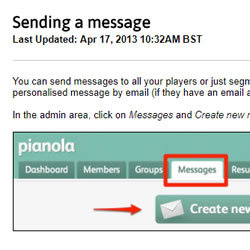
Pianola provides a valuable targeted messaging tool - it allows an event convener or similar authorized person to send an email message to a targeted group of members and others on our Pianola database. It also allows for the printing and posting of mail messages for those without an email address.
The club wants authorized event conveners and others with a suitable communication need to use this tool on a self-service basis. Authorization involves giving your Pianola user id access to this functionality.
This article provides channel guidelines that should be followed and endeavors to provide some guidance and support to less experienced users. You should start with the Pianola support for how to send a message.
For most purposes anyone creating a club document should start with one of the templates provided on this site in The Club | Templates segment. This article however provides access to the club logo artwork for those who might need it. These are not high resolution images and they assume a white background.
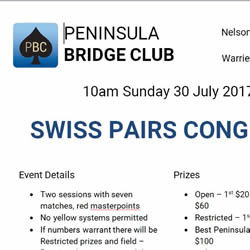
The event and lesson flier templates in this folder are in Word (.docx) and/or Google Docs format, and contain sample text as well as the club's visual branding and Roboto font. are editable as appropriate. Updated or additional templates can be uploaded by Vivien or David. The Word format docs all embed the Club's Roboto font (hence the large files sizes) so that you do not need to download and install it on your computer.
If you want to use Word, you can download the relevant Word template by right clicking on it and then selecting the Save As option. This will allow you to then edit the flier template as you wish on your computer.
The flier templates are available in both colour and black and white formats each using the appropriate logo. To use both colour for posters and black and white for the same event/lessons you will need to copy and paste the event/lesson details from one format to the other.
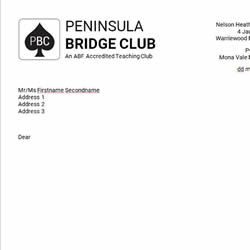
These club templates are in various appropriate formats, generally including Word (.docx) format for standard documents. They often contain sample text as well as the club's visual branding and are editable as appropriate. Many embed the club's Roboto font in the template (hence the large files sizes) so that you do not need to download and install this font on your computer.
If you want to use Word, you can download the relevant Word template by right clicking on its link and then selecting the Save As option. This will allow you to then edit the flier template as you wish on your computer and save it as your own document.
Some of the templates are available in both colour and black and white formats each using the appropriate logo.

The Comms team's goal is to establish effective and efficient communication options (see below) and to support event conveners and others in their use of these options. This support can vary from backup technical advice through to training in how to use a channel through to, where appropriate, the actual work involved in using the channel.
Please let me know on